Category: Features

Continuous Jackrabbit software enhancements.

Add Pay Rate Modal Window Improved

We’ve made a few updates to the modal window that appears for you to create an additional pay rate. Besides having a neater, more standardized appearance, the window also makes some of the fields required fields so that necessary information is never overlooked when creating the additional pay rate. These

Read More »
Check out the best reports in the Jackrabbit Class Executive Dashboard.

Jackrabbit’s Top Reports

One of the best parts about using a software like Jackrabbit is the ability to quickly assess how your business is doing. You can do that quickly and easily through many of the reports that Jackrabbit offers. Jackrabbit is customer-centric software, meaning that it is built with you in mind.

Read More »
Continuous Jackrabbit Software Enhancements

Tweaks Made to Absences-Makeup Report

Just last week, we were speaking of Absences… Now we’ve tweaked the Absences-Makeup Report with these changes: Category1 made to be multi-select in the search criteria (adds searching power) Drop Date added to the output (helps you make decisions about contacting the family) Makeup Room added to the output (helps

Read More »
Continuous Jackrabbit software enhancements.

Enter Absences Feature is Smarter!

To help you when you’re entering absences in your Jackrabbit database (not the Staff Portal), we moved the Absence Date out of each row in the student grid and placed it above the grid. We also made the system smarter to provide warnings when an absence date may be wrong.

Read More »
Continuous Jackrabbit Software Enhancements

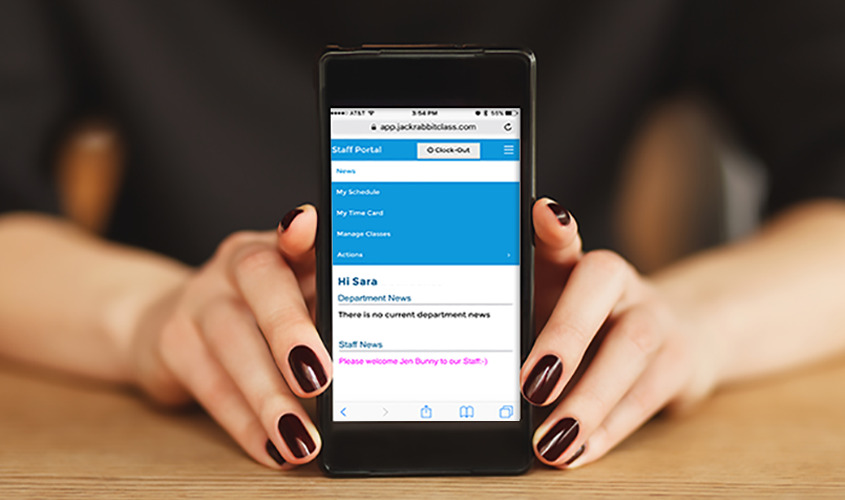
My Schedule Tab in the Staff Portal Has New Tabs

The Staff Portal’s My Schedule tab now has new tabs for Classes and Events. This means that your staff can see Events they’ve not previously been able to see. Both Classes and Events tabs also have a new filter to help your staff find what they’re looking for. The Classes

Read More »
Continuous Jackrabbit software enhancements.

Staff Portal Settings Auto-Marks Attained Skills

This is very exciting! The Staff Portal now automatically marks skills as attained when all subskills are attained. The only thing you need to do to take advantage of this is to make sure your new setting (Update Skill/Level date attained when all Subskills are attained) is set to “yes.”

Read More »